
A Magento store with 10,000 products cannot rewrite them one by one. AI makes bulk content possible, but it also makes it easy to publish thousands of bland, inaccurate descriptions that sound nothing like your brand.
This guide gives you a safe process: small batches, a clear brand voice guide, human review gates and Magento’s own import tools.
Quick summary
- Write a short brand voice guide before generating anything.
- Work in batches of 50 to 200 products, starting with best sellers.
- Claude drafts from product data and team notes. People review every batch.
- Import changes with Magento’s Add/Update behaviour and Check Data first.
- Measure each batch before scaling up.
What changed recently
- September 24, 2026: Google’s September 2026 spam update started, listed on Google’s ranking updates page. Google’s spam policies describe scaled content abuse as generating many pages primarily to manipulate rankings.
- Updated October 5, 2026: Google’s helpful content guidance says producing large amounts of AI text “without manual oversight or curation represents little to no effort”. The review gates in this process are what make bulk content safe.
Step by step
1. Write a one-page brand voice guide
- Three adjectives that describe how you sound.
- Words you always use and words you never use.
- Three of your best existing descriptions as examples.
- Rules: sentence length, no exaggerated claims, how to describe sizes.
2. Prepare clean product data
Export the batch with name, SKU, attributes, specs, category and any team notes. Bulk content is only as good as the data behind it. Fill gaps first.
3. Generate a small test batch
Start with 20 products. Review them closely with the team. Adjust the voice guide and prompt until most drafts need only light edits.
4. Run batches with review gates
- Gate 1, facts: every claim matches the product data.
- Gate 2, voice: it sounds like your brand.
- Gate 3, uniqueness: no two descriptions are near-identical.
- Gate 4, sign-off: a named person approves the batch.
5. Import safely
In Adobe Commerce, go to System > Data Transfer > Import, choose Products, and use Add/Update so only the fields in your file change. Click Check Data before Import (Adobe Commerce docs). Avoid Replace, which clears existing product data.
Watch out
Always back up your product data before an import, and run your first import on a staging site.
6. Measure, then scale
Note the date of each batch. After four to six weeks, compare impressions and clicks for those product URLs. Scale up only when batches are holding or improving.
Expert tip
Start with best sellers that get impressions but few clicks. Better descriptions there show results fastest.
Do it faster with Claude
Prompt 1: build the voice guide
Claude prompt
Here are 10 of our best product descriptions. Write a one-page brand voice guide from them: three adjectives, words we use and avoid, sentence length, and five rules a writer must follow. Quote examples from our descriptions.
Prompt 2: batch draft with checks
Claude prompt
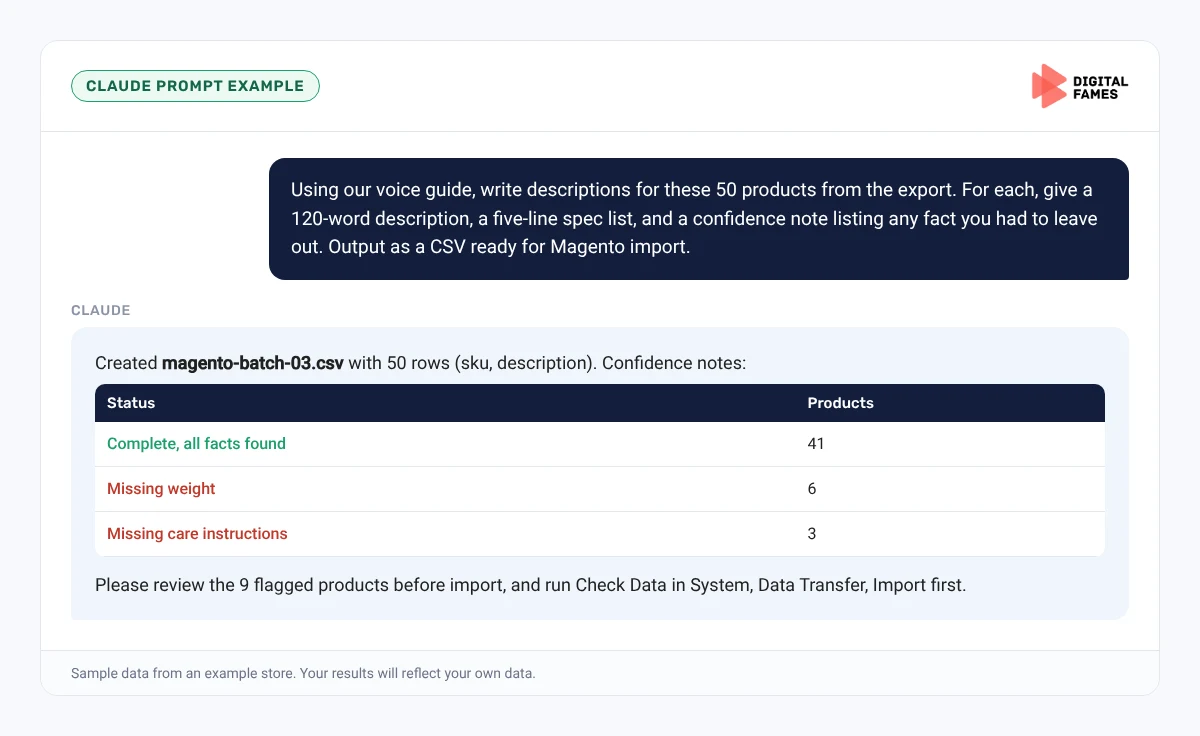
Using our voice guide, write descriptions for these 50 products from the export. For each, give a 120-word description, a five-line spec list from the attributes, and a confidence note listing any fact you had to leave out because it was missing. Output as a CSV with sku and description columns ready for Magento import.
Prompt 3: uniqueness check
Claude prompt
Compare these 50 new descriptions and list any pairs that are more than 70 percent similar, with a suggestion to make each one more specific.
Common mistakes to avoid
- Generating the whole catalog at once.
- No voice guide, so every description sounds generic.
- Using the Replace import behaviour by mistake.
- Skipping review because the drafts look fine at a glance.
- Not tracking which batch changed when.
How to tell if it is working
Compare each batch’s Search Console impressions and clicks before and after, and watch conversion rate on those products. Our guide to AI search data in Google Search Console explains the AI reports.
Frequently asked questions
Is AI-written product content allowed by Google?
Google warns against large amounts of AI text without oversight or curation. Use AI for drafts, with people checking facts and approving every batch.
Which Magento import behaviour should I use?
Add/Update changes only the fields in your file. Replace clears existing product data, so avoid it for content updates.
How big should a batch be?
Start with 20 to test, then 50 to 200 per batch depending on how many people review.
Can Claude output a Magento import file?
Yes, ask for a CSV with the column headings from Magento’s sample import file, then check it with Check Data before importing.
Related guides: Fixing Thin and Duplicate Product Content on WooCommerce After the September 2026 Spam Update and Publishing on BigCommerce with Claude: Blog and Product Content. Browse all our Magento SEO guides.
Next in this series
Back to the start of the whole series: How to Get Your Shopify Store Recommended in ChatGPT, Gemini and Google AI Mode.
Missed the start? Read Magento SEO for AI Search: Fixing Crawl Waste on Large Catalogs.
Planning a bulk content project? Our enterprise SEO and eCommerce SEO teams can help. Talk to us.